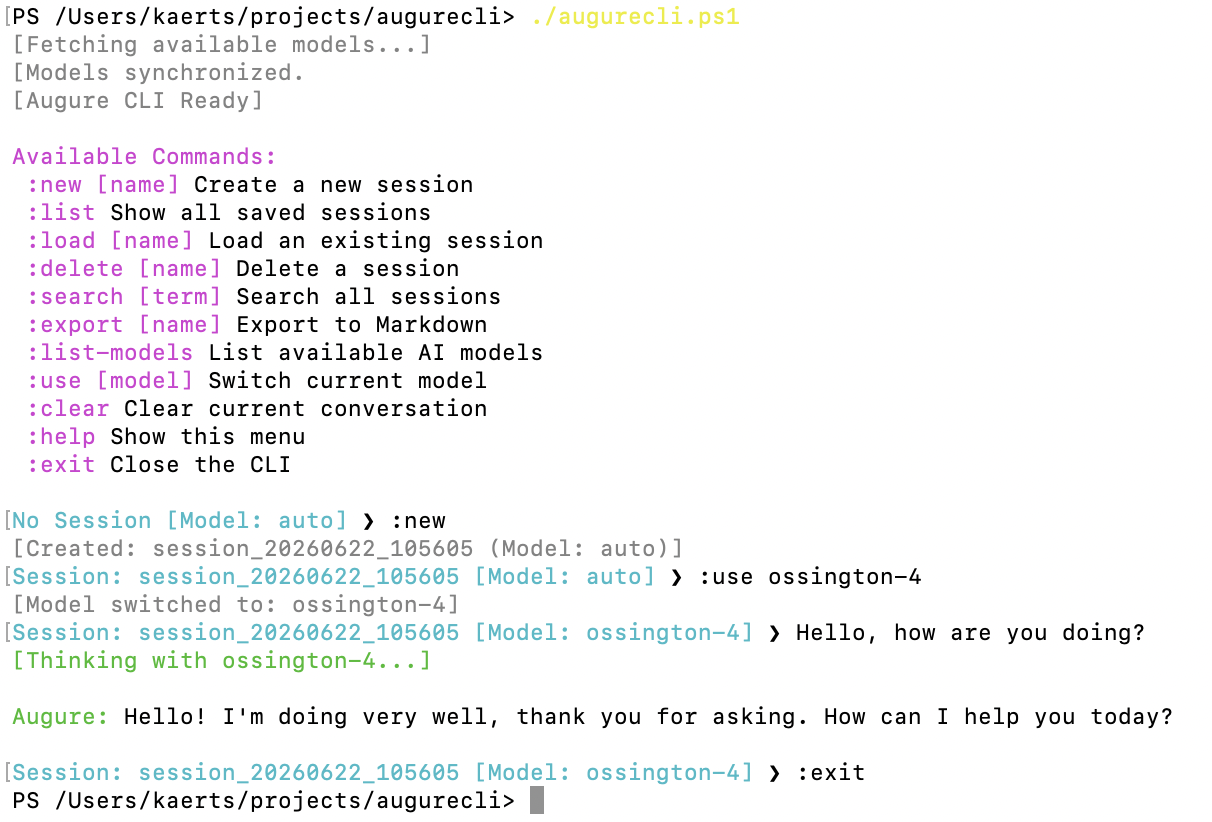
As a, perhaps somewhat old-fashioned developer, I often prefer to use the command line to get things done. I was never big on graphical UIs or web browsers. For this reason I created a command line script to allow me to interact with Augure AI right in my terminal.
I opted for PowerShell 7 as I can run it both on MacOS as well as Windows since I use both systems. The command line script is capable of managing sessions, switch models, export sessions into markup files, and perform a global search across all your sessions.
Since Augure AI uses the OpenAI API spec, you can use the script for other AI engines as well. You’ll have to update the following line accordingly in the script:
$BaseUrl = "https://api.augureai.ca/v1"